
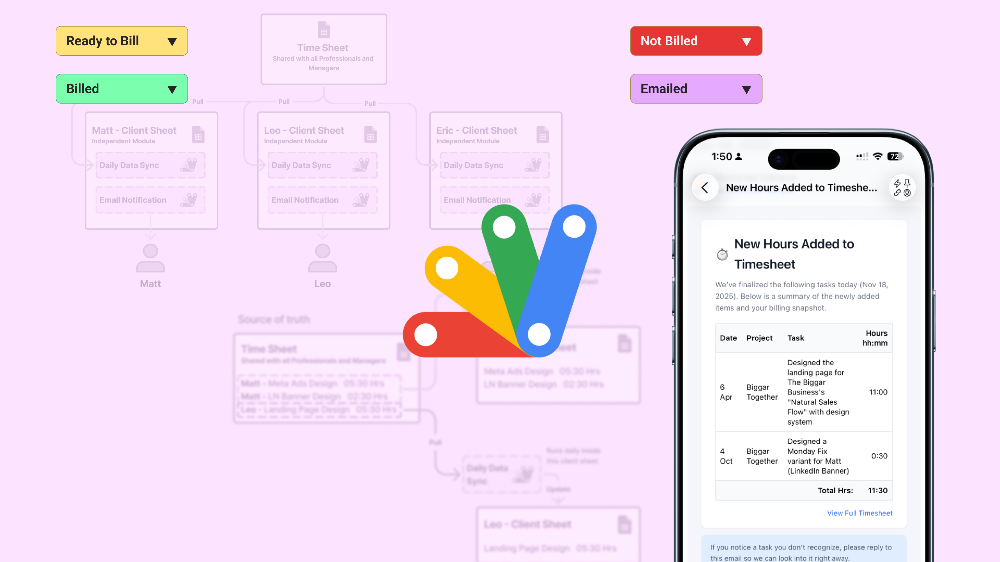
Hrly OS (Part 2 of 4) — Testing for Automation and Efficiency
1. Overview
After building a stable and dependable sheet based workflow in Part 1 - Designing Structure Out of Chaos, I shifted my focus to the next layer of the system; making the experience smoother for clients and reducing the amount of manual coordination needed inside the team. The foundation worked, but it still relied heavily on people opening sheets, updating sheets, and keeping everything in sync by hand.
Part 2 of this project was about exploring how automation could support that workflow. I wanted to see how much of the routine movement of information could be handled by the system itself, and how we could deliver timely updates without asking clients to browse spreadsheets or asking admins to maintain rigid schedules.
This phase was where the system started evolving from a well structured set of sheets into something smarter and more proactive.
2. Key Challenges
Clients found the Google Sheets based workflow too engineered for something that should feel simple and effortless.
The weekly manual sync from the Time Sheet to Client Sheets often became inconsistent due to normal human factors and shifting workloads.
Clients wanted more frequent updates, but increasing the schedule would turn the task into repetitive busy work that is easy to overlook or rush through.
Relying on one person to handle frequent, low engagement yet sensitive updates increased the chances of human error.
3. Research & Insights
For this phase, I looked closely at how both clients and the admin team interacted with the system. On the client side, I reviewed how they accessed their shared sheets and how often they actually checked them. Many clients wanted frequent updates, but almost none enjoyed opening a spreadsheet to find them. The experience became even more complicated for clients using Outlook, Yahoo, or any other mailbox provider outside Gmail, since viewing the sheet often required extra steps or permissions that felt confusing and inconvenient.
On the internal side, I observed how Rusab handled the weekly updates from the Time Sheet to the Client Sheets. The task was simple but repetitive, and human factors showed up clearly. Some weeks the updates happened early, some weeks late at night, and on hectic weeks the routine slipped. The more repetitive the task felt, the easier it was to lose focus or miss small details.
These observations revealed two clear needs:
Clients needed an easier, more natural way to receive updates without relying on Google Sheets access.
The admin workflow needed fewer repetitive tasks that depended on human timing and attention.
4. Design Process
a. Establishing Automation at the Client Sheet Level
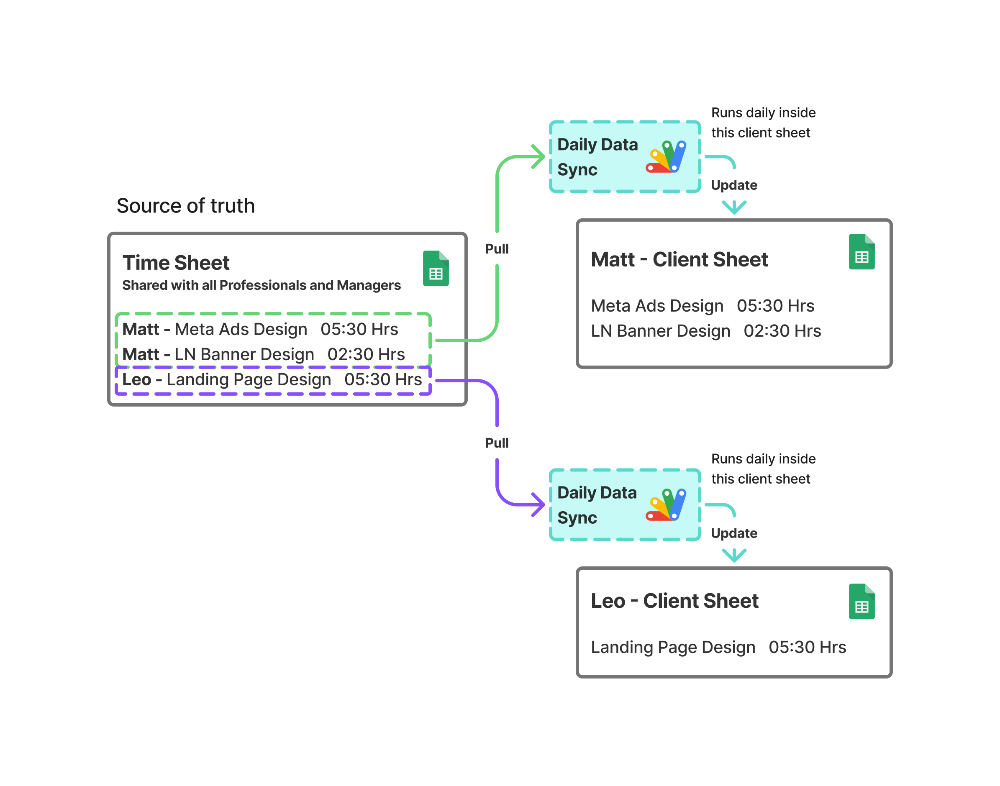
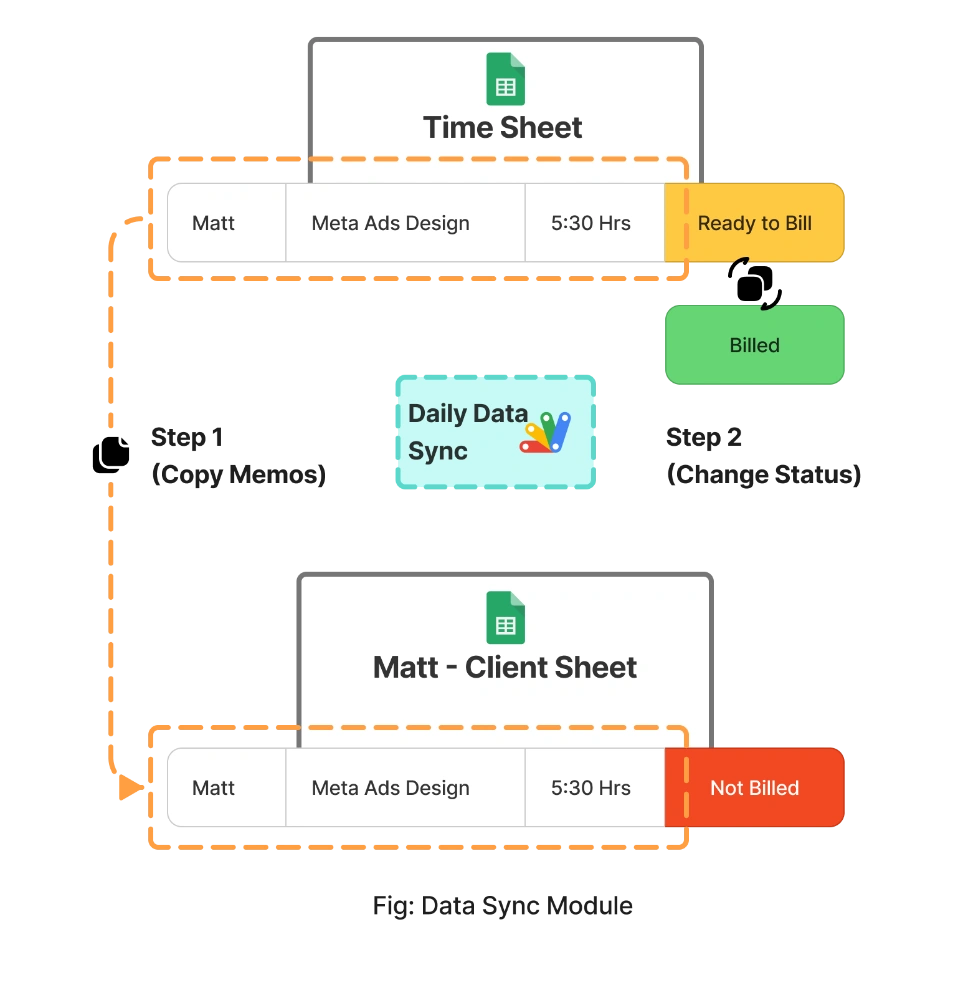
With the key needs identified, I structured the automation so that each Client Sheet becomes responsible for keeping itself updated. Instead of relying on managers to push data manually, the Client Sheet now pulls only the entries that belong to that client and updates itself on a regular schedule.
b. Separating the Workflow Into Two Clear Automations
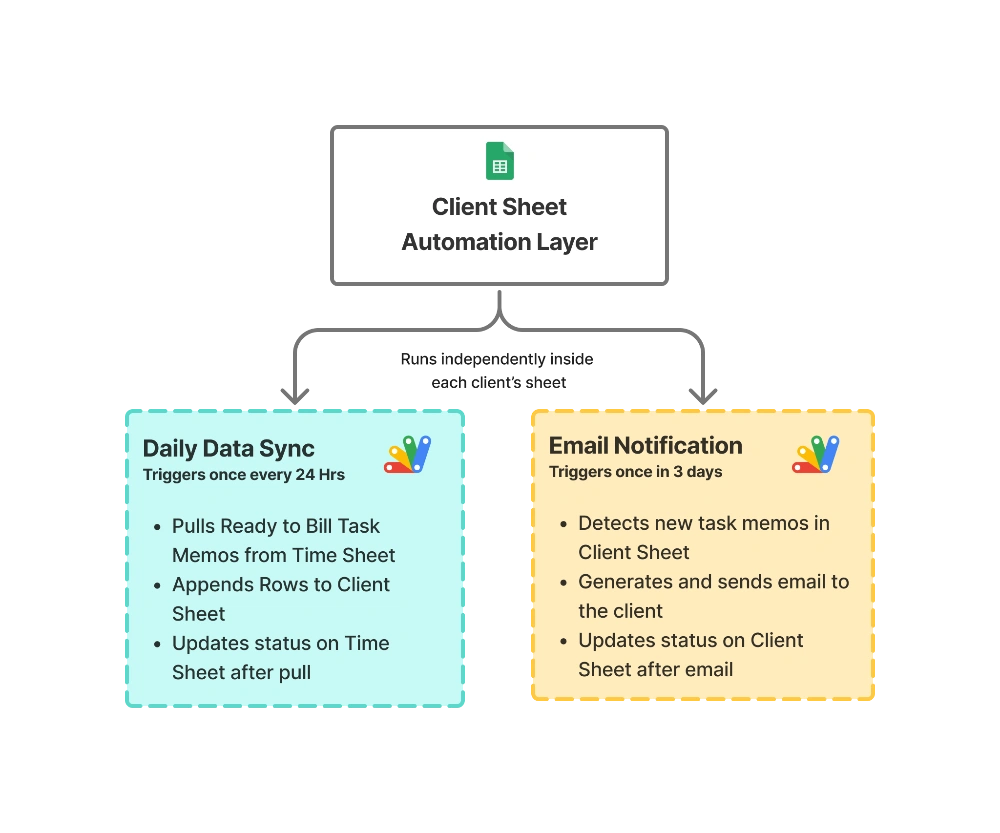
To keep things simple and maintainable, I split the workflow into two independent scripts inside each Client Sheet:
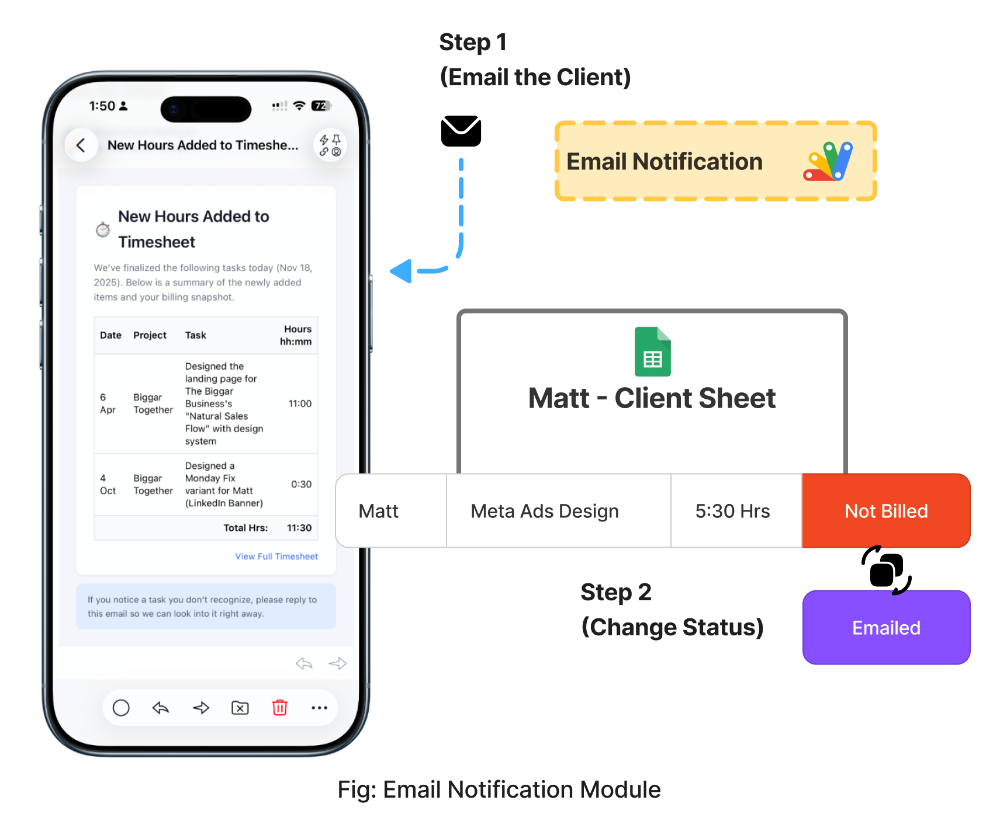
Daily Data Sync
Pulls any new finalized tasks from the Time Sheet and appends them to the Client Sheet.Periodic Email Notification
Reviews newly added tasks and emails a clean summary to the client.
This separation kept the logic clear, easy to debug, and easy to adjust as the client needs change.
c. Designing for Modularity and Easy Onboarding
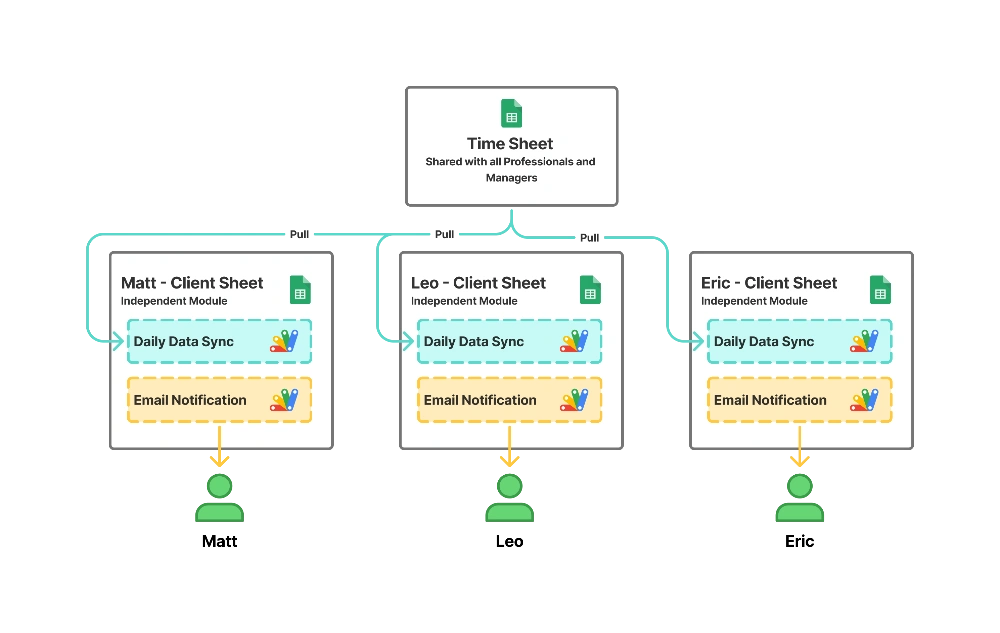
To make the system scalable, I designed the setup so each new client gets their own sheet with a duplicated automation module. Only three things change: the client name, the sheet ID, and the email recipient list.
This keeps onboarding simple without adjusting the core logic.
d. Aligning the Automation With Real Usage
The timing for each script was chosen based on real behavior patterns across both clients and managers. A daily data sync keeps sheets updated without becoming noisy, and a spaced-out email schedule prevents inbox fatigue while still being timely.
Both scripts operate quietly in the background, so the workflow for managers and professionals remains unchanged.
5. System Design & Implementation
Once the workflow from Part 1 became stable, I focused on building an automation layer that lived entirely inside each client’s sheet. The goal was simple: let every client receive their updates in a smooth, effortless way, and reduce the repetitive work managers had to do to keep sheets aligned. This phase was also about removing the overwhelmed feeling clients had, especially those unfamiliar with Google Sheets or not using Google Workspace, by letting updates reach them rather than asking them to browse spreadsheets.
Automation Layer Summary
This system runs as independent modules inside each client sheet.
6. Results & Impact
Reduced manual workload by over 80%, as seen in fewer weekly update tasks for the Billing Manager, by allowing each Client Sheet to sync itself automatically.
Improved client experience, as shown by a drop in update related questions, by sending clean summary emails directly to clients who prefer not to use Google Sheets.
Increased update reliability, as measured by consistent daily syncs, by removing human timing and shifting workloads from the process.
Lowered billing prep errors, as seen in fewer corrections before invoicing, by using status driven automation to prevent duplicates or missed entries.
7. Reflections
What worked
Automated updates removed most of the manual workload from the billing manager.
Email summaries made the system more accessible and usable for a wider range of clients.
The system brought consistency to task reporting by removing human timing from the equation.
Scalability improved, since the billing manager can now handle more clients without the workload growing at the same rate.
What didn’t
Invoicing and auto charging still require manual effort, leaving room for human inconsistency.
Admin workload still increases proportionally with the number of clients, even though it’s lighter than before.
8. Next Step
In Part 3: Redesigning Billing for Complete Automation, I move from task reporting to exploring a metered billing model built on Stripe. This phase focuses on validating a functional prototype that fully automates the billing manager job and evaluates the scalability, viability, and long term sustainability of an automated billing system.

